Screenshots
See It in Action


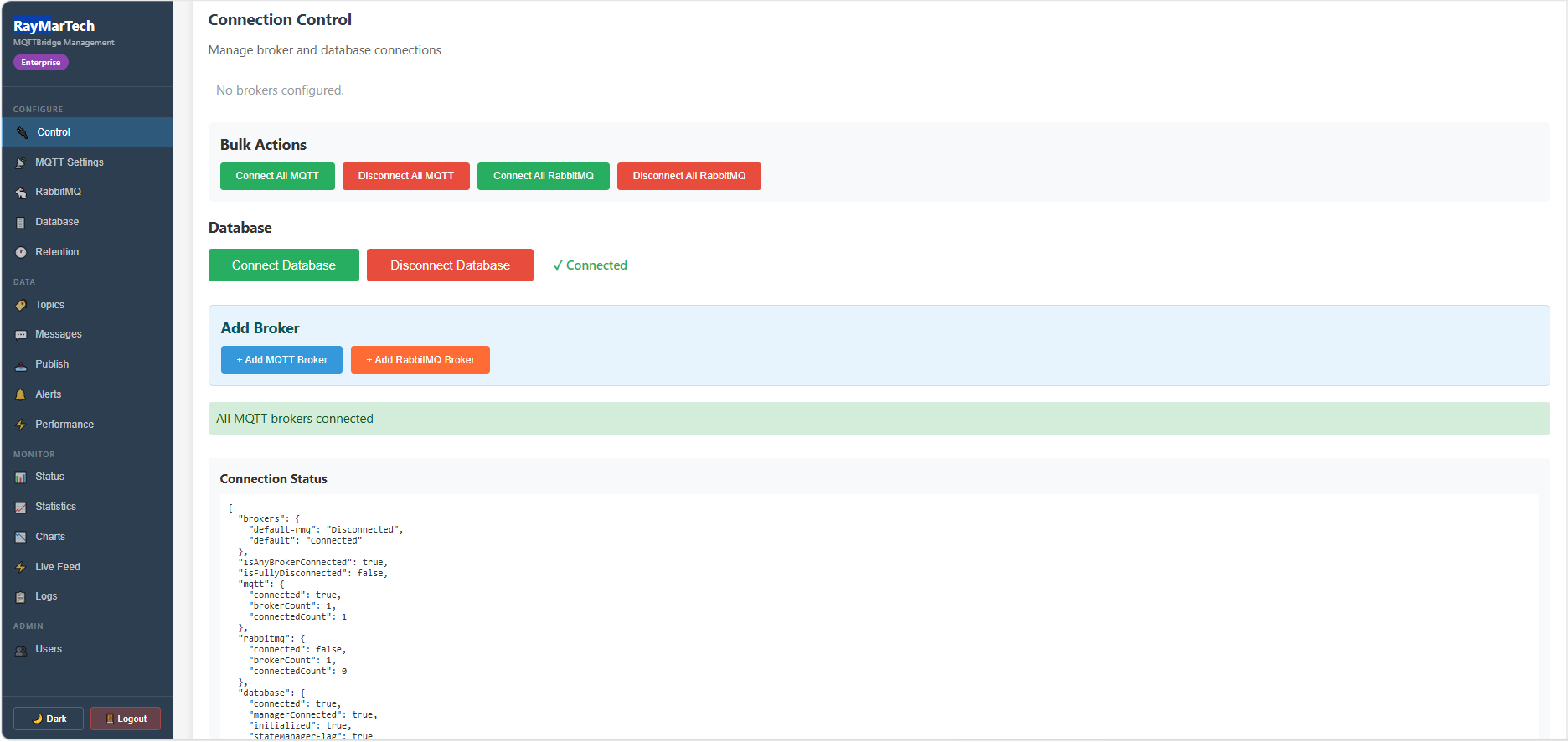
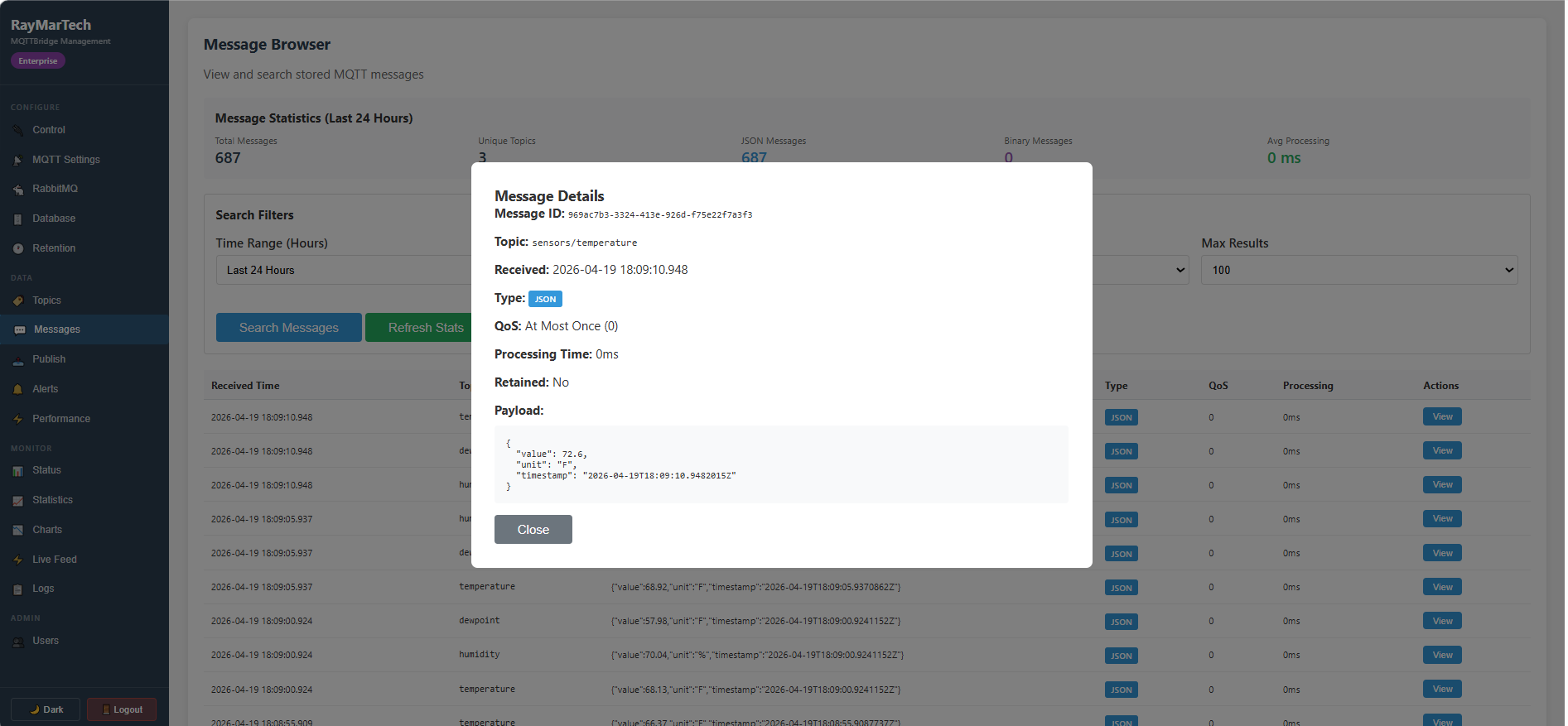

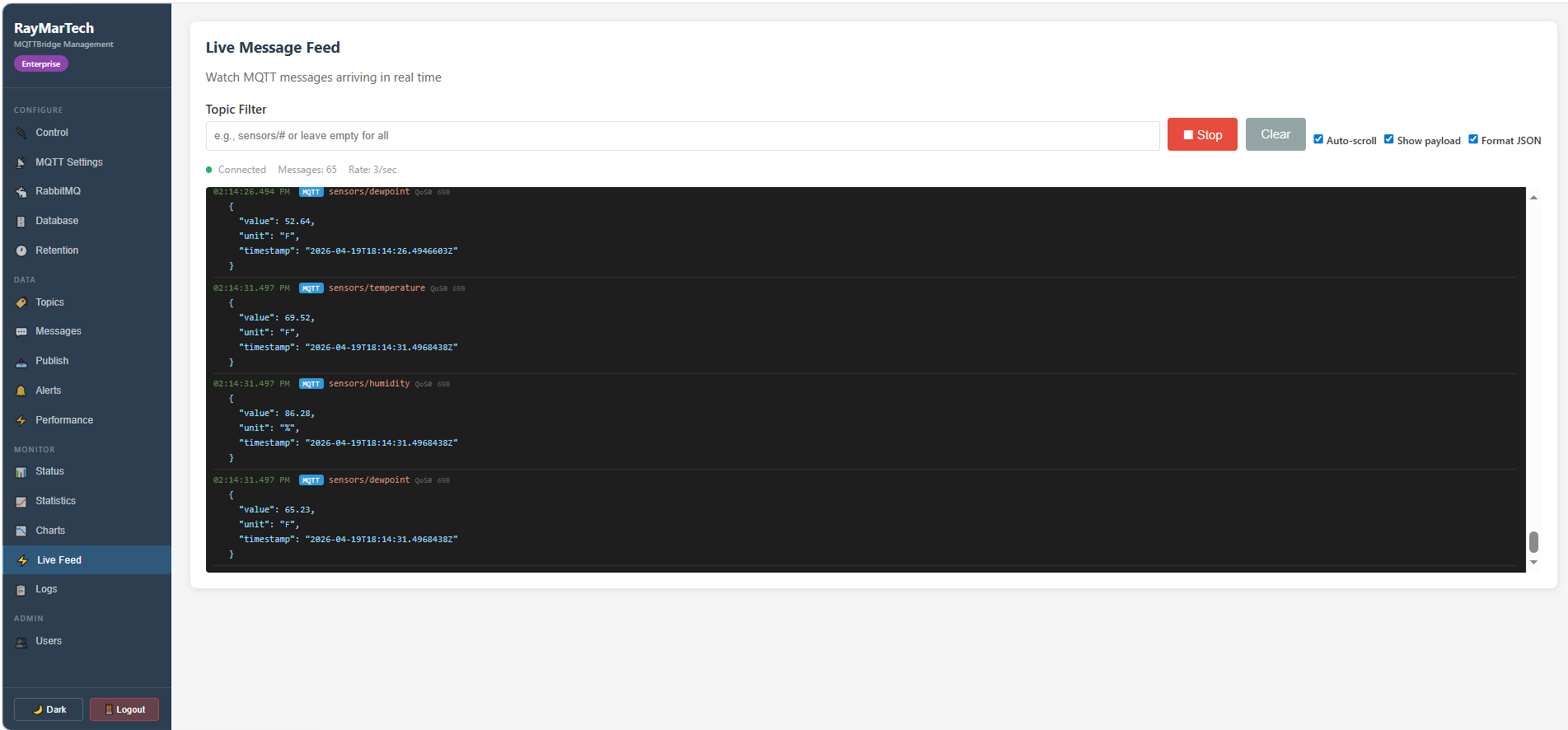

Bridge MQTT messages to SQL Server and RabbitMQ in real time. Runs as a Windows service with a full web management dashboard.
Your devices publish MQTT messages. Your business needs that data in SQL Server for reporting, in RabbitMQ for downstream processing, and visible in a dashboard for operations. Today that means cobbling together scripts, custom code, and hoping nothing breaks at 2 AM.
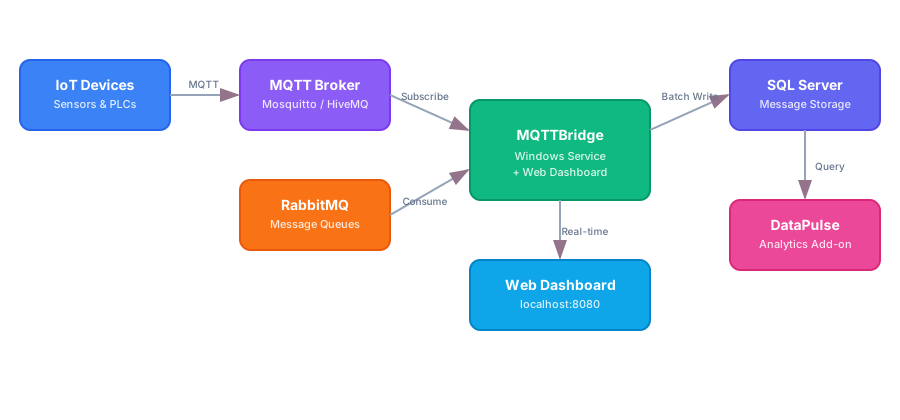
MQTTBridge subscribes to your MQTT topics and RabbitMQ queues, then stores all messages in SQL Server — from a single Windows service. A built-in web dashboard gives you real-time visibility, alerting, and full configuration control.
Subscribe to any topic pattern with wildcard support. QoS 0, 1, and 2.
Batch-optimized writes with configurable table names, connection pooling, and retry logic.
Consume messages from RabbitMQ exchanges and queues, storing them in SQL Server through the same pipeline as MQTT.
Real-time status, live message feed, topic browser, charts, and full configuration — all from your browser.
Define rules on topic patterns with threshold, absence, and pattern-match conditions. Webhook notifications.
Automatic cleanup of old messages with configurable retention periods and optional archiving.
Role-based access control with Administrator, Operator, and Viewer roles. JWT authentication.
TLS for MQTT and web interface. Hashed passwords. Secure JWT tokens.
Uptime tracking, reconnect counts, and connection event history for both MQTT and RabbitMQ.
Professional Windows installer with service registration, configuration, and clean uninstall.
RSA-signed licenses tied to machine fingerprints. Tier-based feature gating with Trial, Starter, Professional, and Enterprise levels.
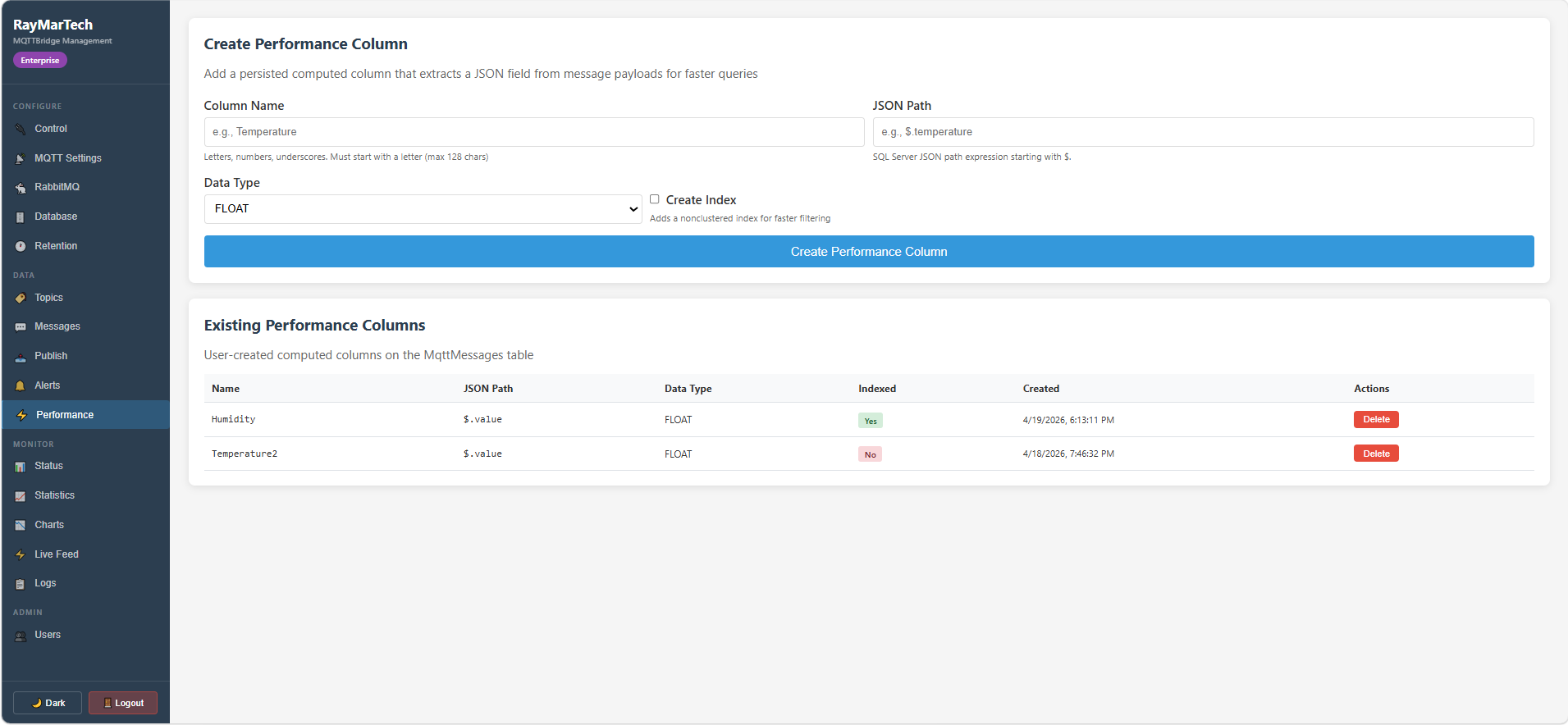
Extract JSON fields into persisted computed columns with optional indexes. Turn slow JSON queries into fast indexed lookups — no code changes needed.
Full OpenAPI documentation at /swagger. Every endpoint documented and testable.
MQTTBridge sits between your MQTT broker and your data infrastructure.
Download the installer, try it free for 7 days, and purchase a license when you're ready.
Run the MSI installer. MQTTBridge registers as a Windows service and starts automatically in Trial mode — no license file needed.
Open the web dashboard at http://localhost:8080. Connect your MQTT broker, set up SQL Server, and watch messages flow in real time.
Pick a tier below and click Buy Now. You'll check out securely through Stripe and receive your license key instantly.
We don't offer refunds after a license is purchased. We offer a 7-day free trial so you can be confident before purchasing. If you have an issue with your order, contact us at sales@raymartech.com and we'll make it right.
Open the web dashboard, enter your license key on the activation panel, and click Activate. Your license is applied automatically — no restart needed.
Windows 10/11 & Server 2016+ · Requires .NET 10 ASP.NET Core Runtime · 7-day free trial
Every license includes the full Windows service, web dashboard, and MSI installer. Pick a tier and get your license key — no payment required.
Download MQTTBridge and try it with full functionality. No credit card required. When you're ready, purchase a license and activate it right from the dashboard.